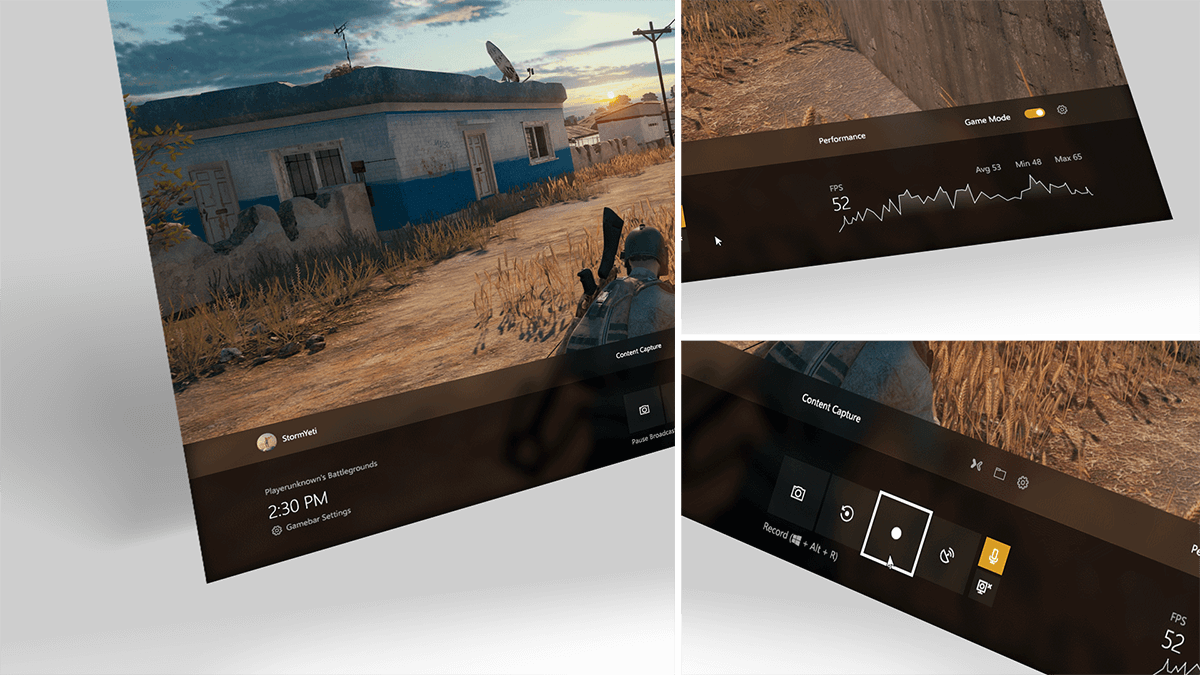
Shipped
Windows 10 Game Bar @ Microsoft
Modernizing Windows 10 Game Bar with Fluent Design, performance insights, and Game Mode support.
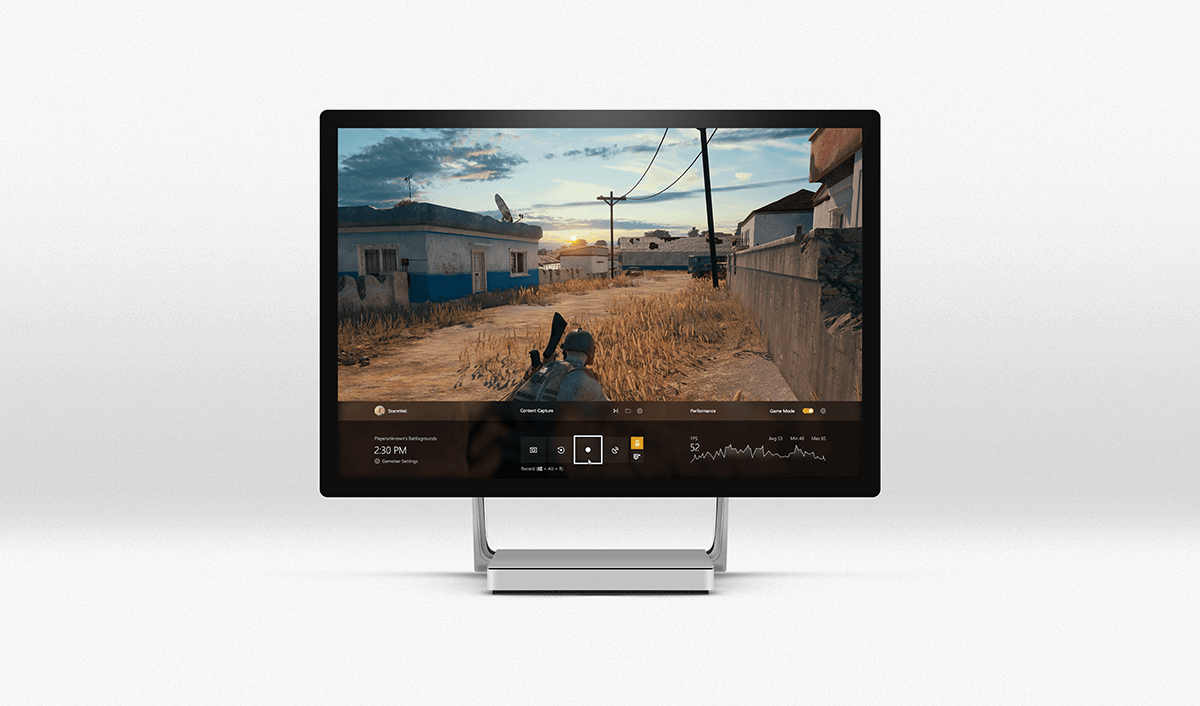
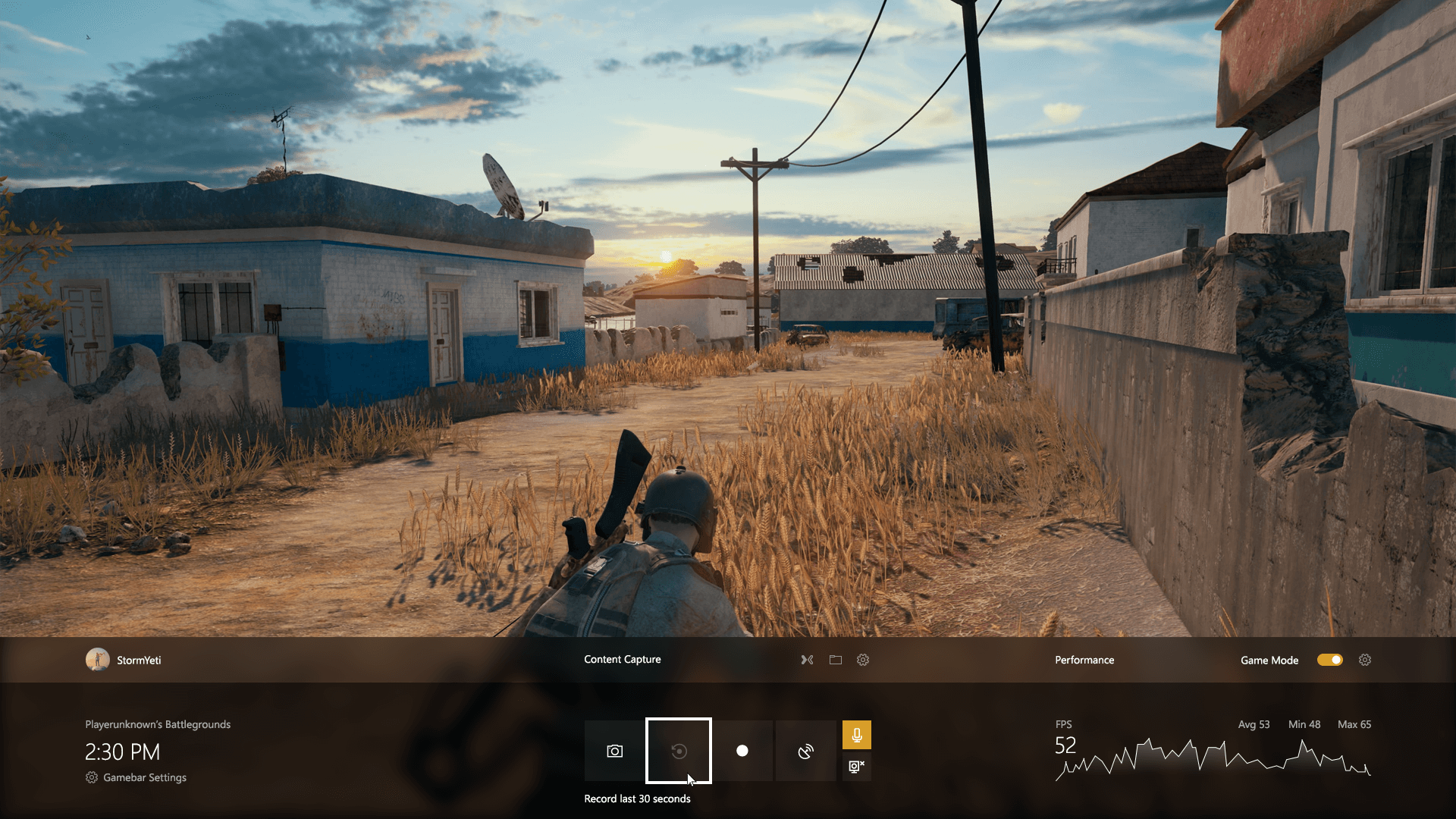
Redesigned the native Windows gaming overlay to align with Fluent Design while making capture, performance, and Game Mode features clearer for players.
Client
Microsoft
Skills
UI/UX Design
Tools
Photoshop
My Role
Visual Designer
Challenge
Game Bar was useful, but it lacked a clear identity and risked becoming cluttered as new features were added.
Design Process
To align with Fluent Design principles, I focused on:
Depth and Materiality
Introduced acrylic layers, subtle lighting, and contrast to make the overlay feel grounded yet unobtrusive over gameplay.
Information Clarity
Designed real-time CPU/GPU/RAM visualizations that conveyed performance impact at a glance without overwhelming players.
Contextual Adaptation
Ensured accessibility and legibility across light/dark system themes and high-motion gameplay backgrounds.
Privacy-First Clip Capture
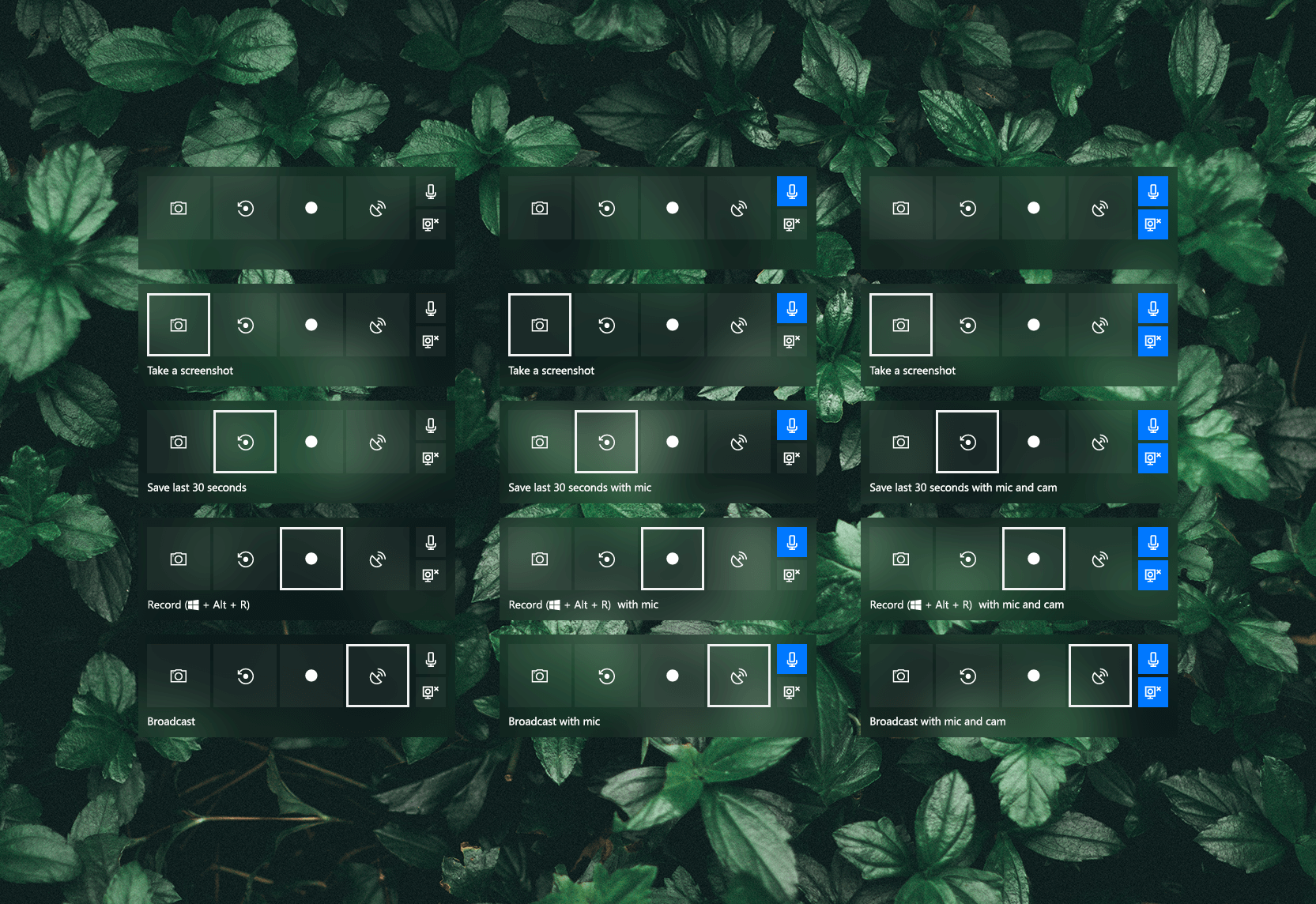
“Save last 30 seconds” is off by default and only activates after an intentional user toggle.
Built For Streamers
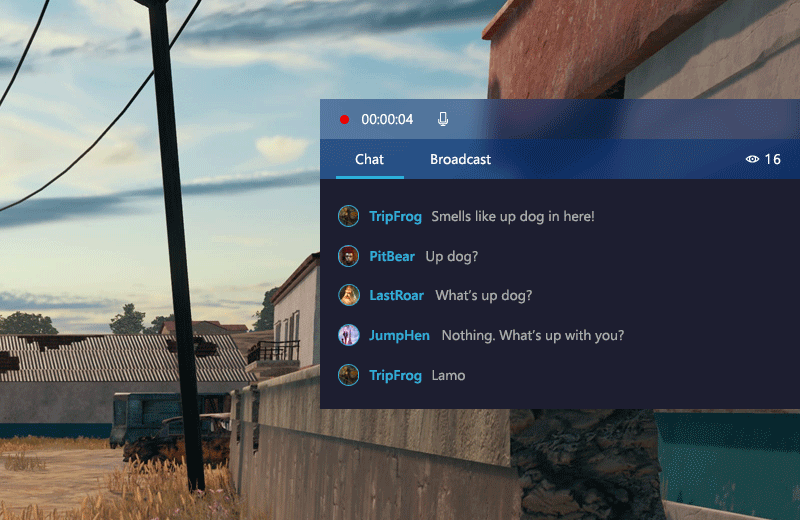
Mixer integration makes it easier for streamers to start broadcasting at a click.
Outcome & Impact
The redesign made Game Bar feel more trustworthy, polished, and aligned with the rest of Windows.
Stronger Trust & Adoption
Opt-in recording, visible status, and easy controls reduced apprehension and encouraged sharing.
Clearer Performance Feedback
Players understood when Game Mode helped and how their system was behaving mid-match.
Ease of Use
Provided the basic features that many PC gamers needed in the native OS.